What Is Stealth Mode?
Stealth Mode hides Fatal Error Notify from all admin users except the ones you specify. It’s designed for agencies and developers who install the plugin on client sites and don’t want clients disabling it or changing the settings.
When Stealth Mode is active, non-selected admins won’t see:
- The plugin in the Plugins list
- The settings page under Settings
- Any admin notices from the plugin
Configuration
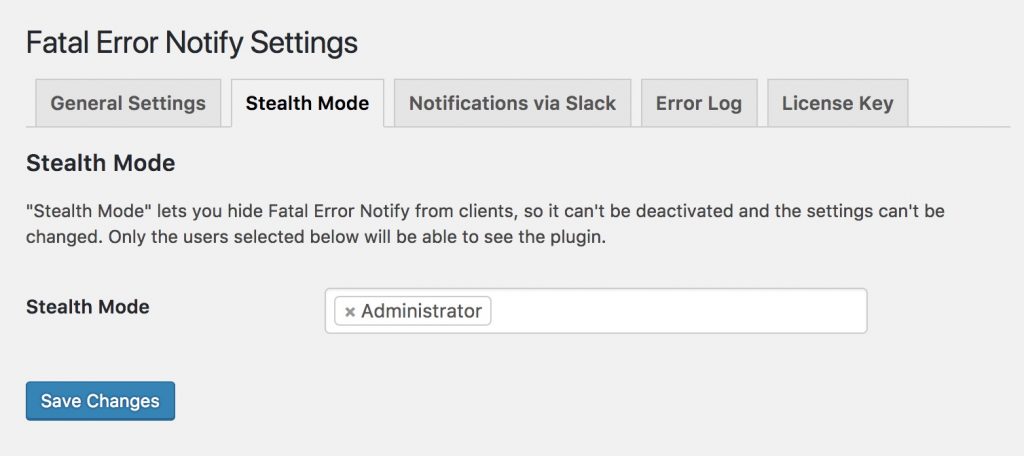
To enable Stealth Mode:
- Go to Settings » Fatal Error Notify » General
- Scroll to the Stealth Mode section
- Select one or more administrator-level users from the dropdown
- Save your settings
Only the selected users will be able to see and manage the plugin going forward. Make sure you include yourself in the list, or you’ll lose access to the settings too.
Use Case
Stealth Mode is particularly useful when you’re managing WordPress sites for clients. You get error notifications without the client accidentally (or intentionally) deactivating the plugin. The plugin just quietly does its job in the background.