Enabling the Error Log
Fatal Error Notify includes a built-in error log that records all errors your site encounters. To enable it, go to Settings » Fatal Error Notify » General and check the Enable Error Logging option.
Log Viewer
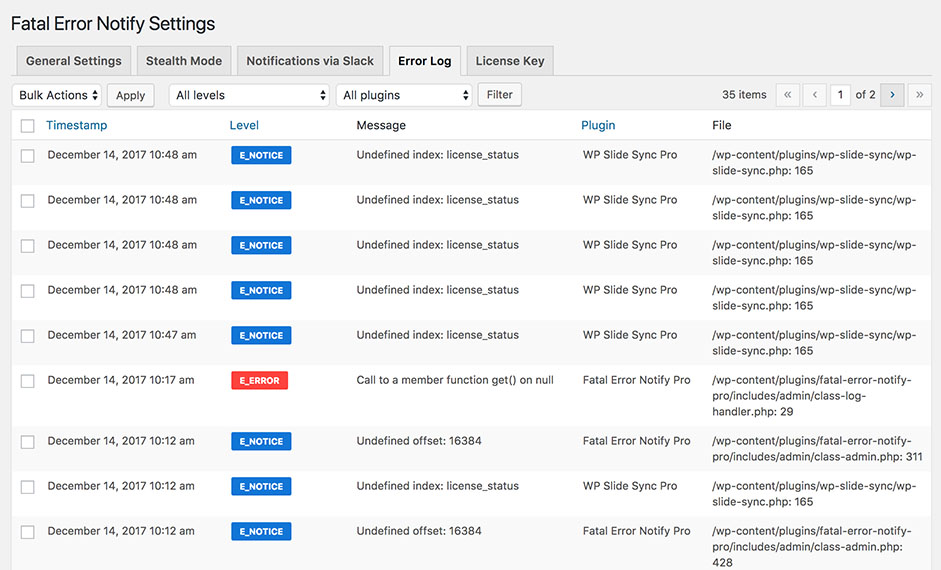
Once enabled, a new Error Log tab will appear in the plugin settings. The log viewer shows a table of recorded errors with the following details:
- Error severity / level
- Error message
- File and line number
- Plugin that triggered the error (if applicable)
- Timestamp
Filtering
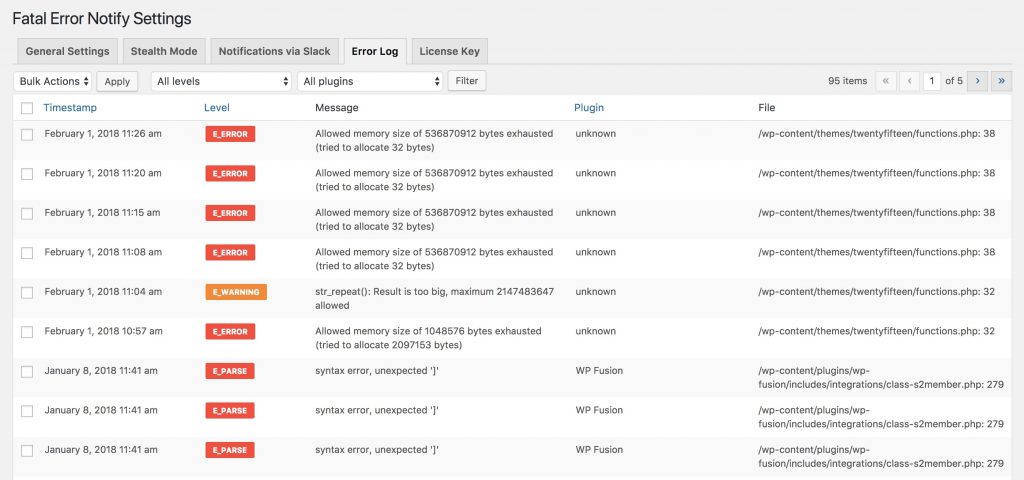
You can filter the error log by:
- Severity: Show only errors of a specific level (e.g. only fatal errors, or only warnings)
- Plugin: Show only errors triggered by a specific plugin
This makes it easy to zero in on the errors that matter most, especially on sites with a lot of plugin activity.
Managing Logged Errors
The error log stores entries in the database. You can clear the log from the settings page if it grows too large. The log is independent of notifications — errors are logged regardless of whether a notification was sent for them.